For window cleaning
Every building the same.
Every pane with proof.
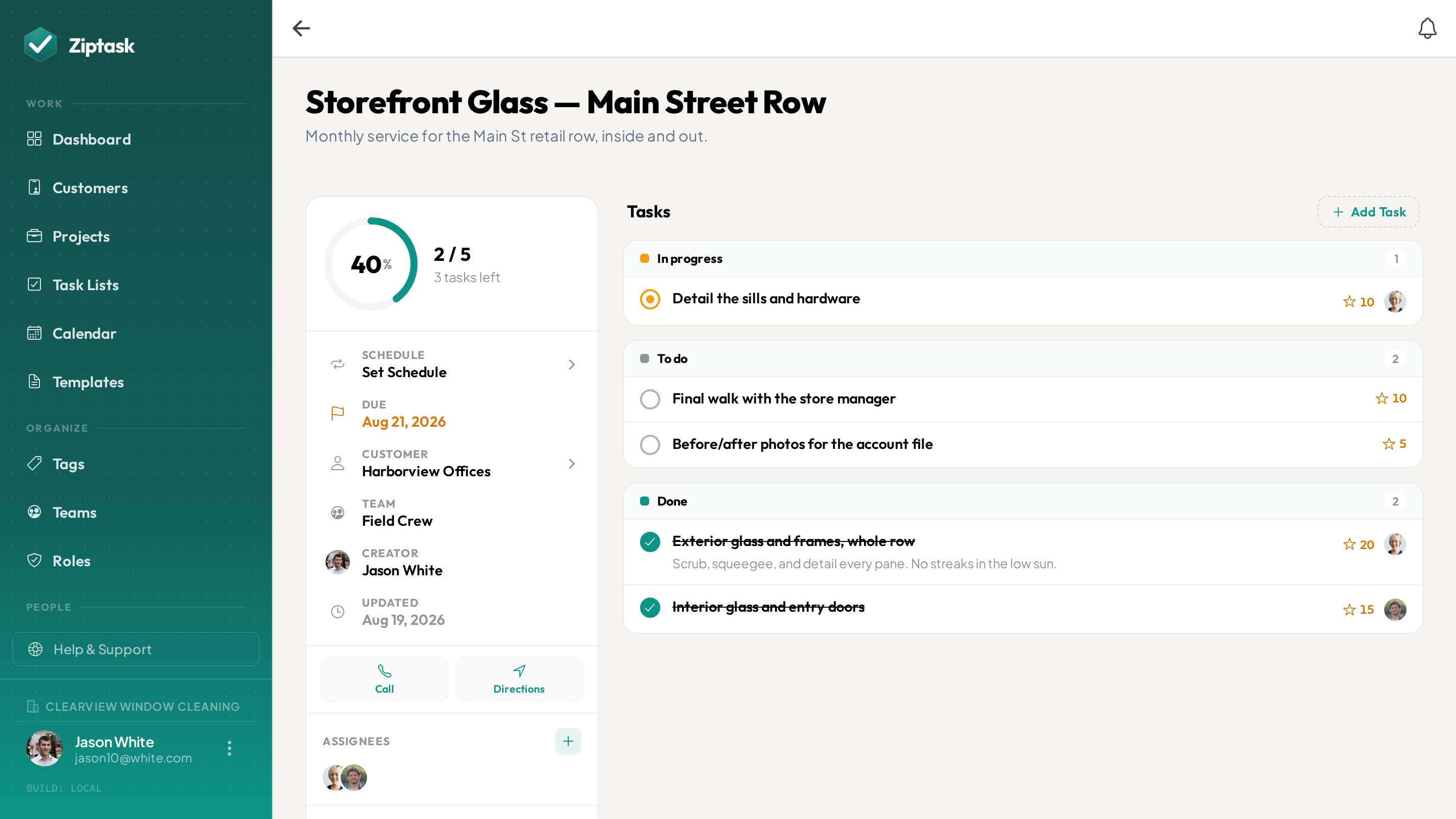
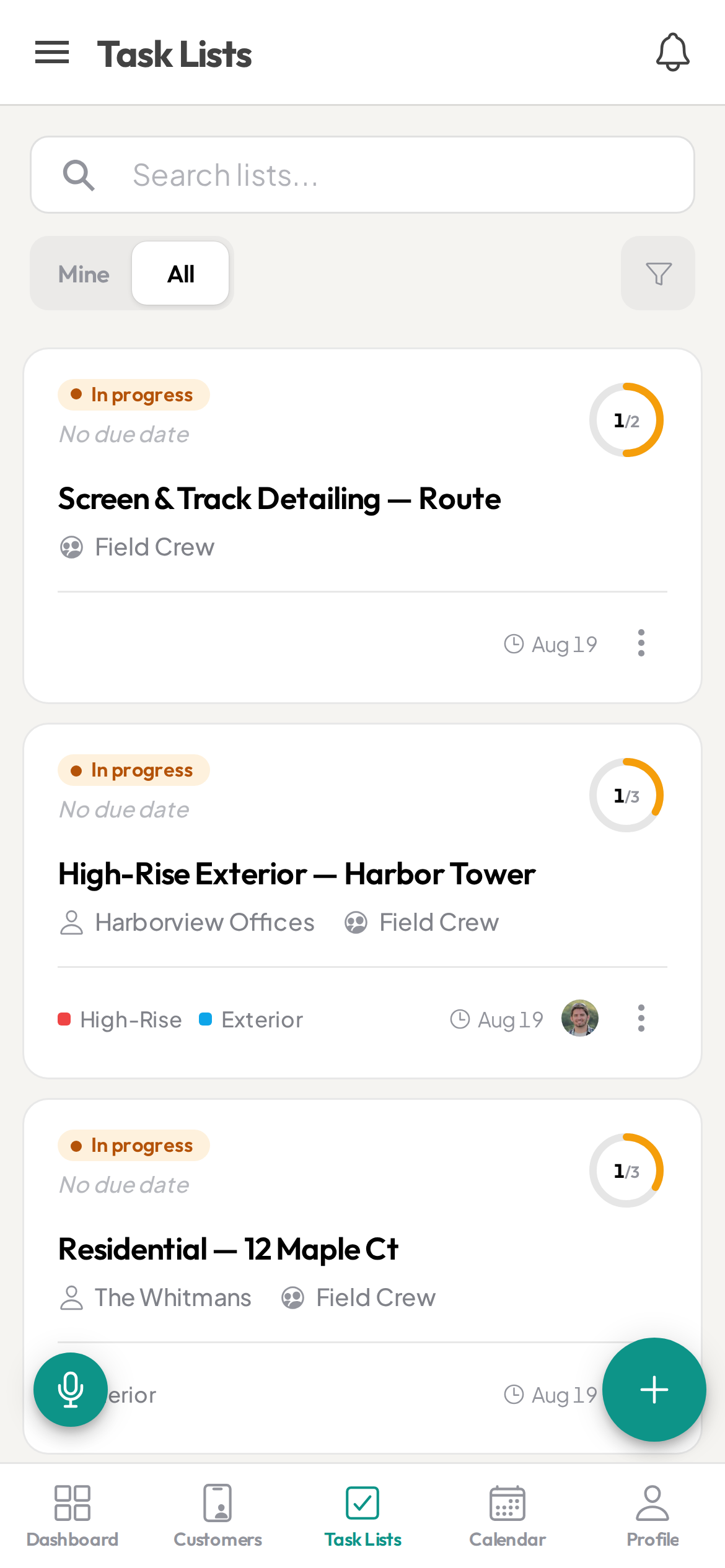
Recurring route checklists, streak-free proof of service, and every account tied to the customer — tap to call, tap for directions. Watch each building get checked off from the office in real time.
The route ran. Can you prove every building got done?
- Route sheets and account notes scattered across texts, paper, and memory
- No proof the job was done right — until the customer calls about a streaky pane
- Which panes, screens, and tracks are in scope? Nobody’s sure but the owner
- Cleaners out on routes you can’t see until they’re back at the shop
- Every cleaner works a building a little differently
Everything a window cleaning team needs
Start free, then unlock more as you scale. see pricing.
Standardized building checklists
StarterSave each account’s scope — interior and exterior panes, screens, tracks, sills, glass doors — as a template so every building gets the same proven service, whoever’s on the route.
Streak-free proof of service
StarterRequire a photo before a building is done — the finished storefront or crystal-clear panes — so every account ends with proof for a callback or a picky property manager.
Recurring routes on schedule
StarterSet recurring lists for weekly, biweekly, or monthly window routes — Ziptask regenerates each one automatically so no account gets skipped between cycles.
Every account tied to the customer
Attach the customer to an account and your cleaner taps to call ahead, taps the address for turn-by-turn directions, or taps to email — with the access notes and parking details saved on the customer’s record. No second app.
Sign-off before a route closes
StarterRequire a lead to review and approve before a route is marked done — catch the skipped storefront or missed screens before the customer calls.
Dispatch routes to the right cleaner
Assign a route checklist to a cleaner and watch it move through to done in real time from the office — no end-of-day status calls.
Routes, service areas & crews
ProScope work by route, service area, or crew. Cleaners see only their accounts; managers see the whole board.
Keep your best cleaners
ProPoints and a weekly leaderboard recognize the cleaners who run clean, complete routes — a low-cost edge in a tight labor market.
A record of every visit
BusinessA timestamped activity log captures every completed service and sign-off — filter it and export to CSV. Each customer’s visits collect on their page, with the finished-work photos attached. Your backup for callbacks and disputes.
Keeps working when the signal drops
Parking garages, high-rise stairwells, rural accounts — pull up the route checklist you’ve opened and keep checking off buildings with no connection; changes sync the moment you’re back in range. (Capturing photos needs a signal.)
Run every route the same way
Build the route
Assemble the day’s accounts from a template — each tied to its customer — and assign it to the cleaner in seconds.
Cleaner runs the route
They work each building, tap to call or navigate, snap a finished-work photo, and submit from their phone. Progress shows live for the office.
Close with proof
A lead signs off, and you keep a record of every visit and sign-off — for callbacks, disputes, and the next service cycle.
Window cleaning FAQ
Can cleaners prove a building was done right?
Yes. Require a photo before a building can be submitted, with a lead sign-off before the route closes — so every account ends with evidence for the customer and your records.
Can I define exactly what’s in scope for each account?
Yes. Save each account’s scope as a template — which panes, screens, tracks, sills, and glass doors are included — so every cleaner services the building to contract and nothing gets skipped or double-charged.
Can cleaners get directions and call customers from the app?
Yes. Attach the customer to an account and the cleaner taps the address for turn-by-turn directions and access notes, taps to call ahead, or taps to email — right from the checklist, no separate app.
Does it work out on the route?
Yes — native iOS and Android apps plus a web app, with real-time sync. Cleaners can dictate a list by voice, and a route you’ve opened keeps working offline: check-offs queue and sync when you’re back in range, while photos upload once there’s a signal.
Can I schedule recurring window routes automatically?
Yes. Recurring lists auto-generate window routes on the schedule you set — daily, weekly, biweekly, or monthly — with items reset each time. For longer intervals, schedule the route with a due date on the calendar.
Can cleaners only see their own routes?
Yes. With teams you scope work by route, service area, or crew — cleaners see only their assigned accounts, while managers see everything.
What is the best app for a window cleaning business?
Look for reusable route and building checklists, photo proof of finished work before a building closes, recurring routes, each account tied to the customer for one-tap call and directions, and a full service history. Ziptask covers all of these on iOS, Android, and web, and is free to start.
How much does it cost?
Ziptask is free to start. Paid plans (Starter, Pro, Business) add photo proof, recurring routes, teams, cleaner rewards, and a full service history as you grow.