For handyman & home services
Every job done right.
And on the record.
Job checklists for your common work, photo proof of finished jobs, and a sign-off before you invoice — every job tied to the customer, with their whole history in one place. Run it from your phone.
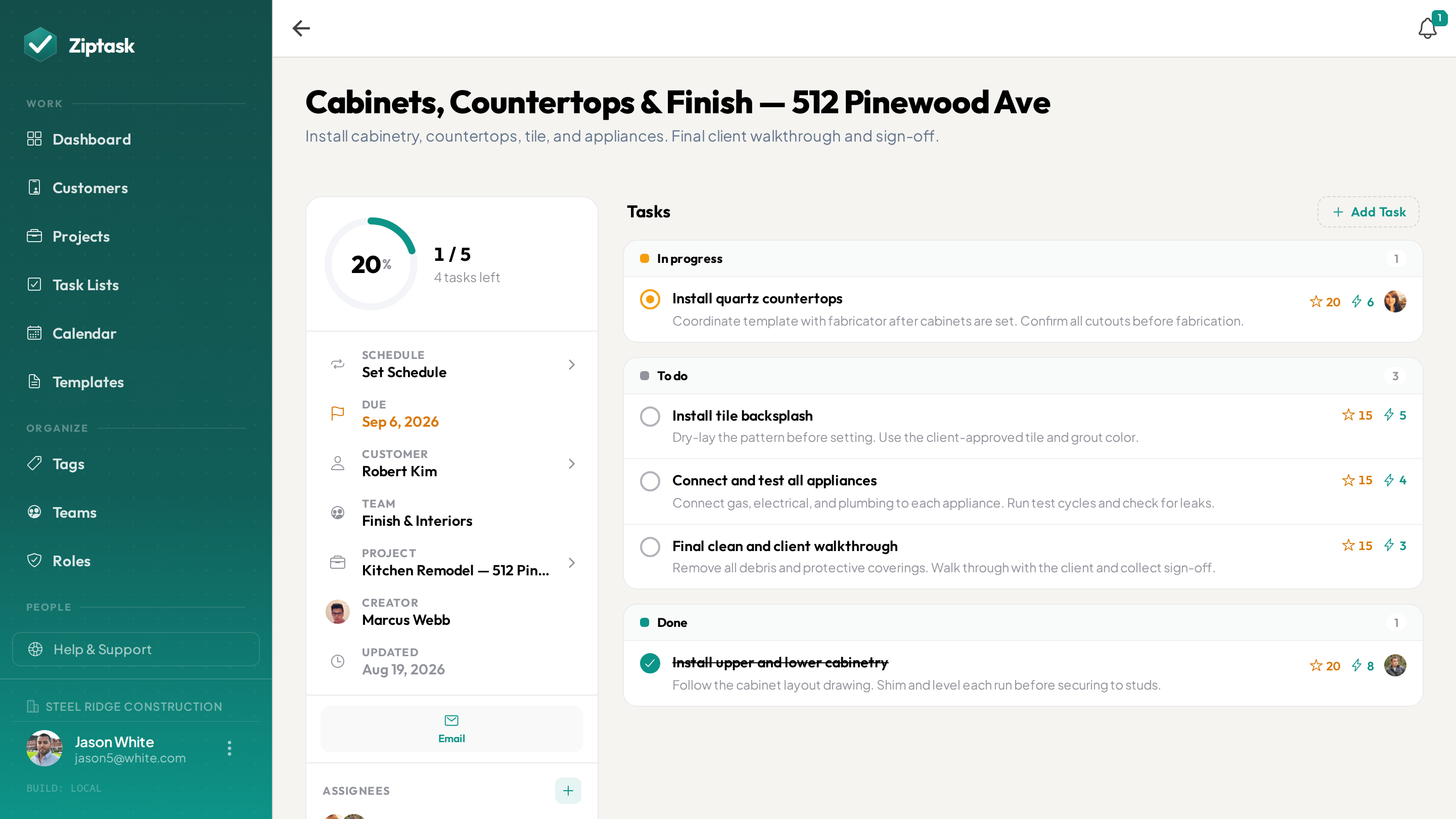
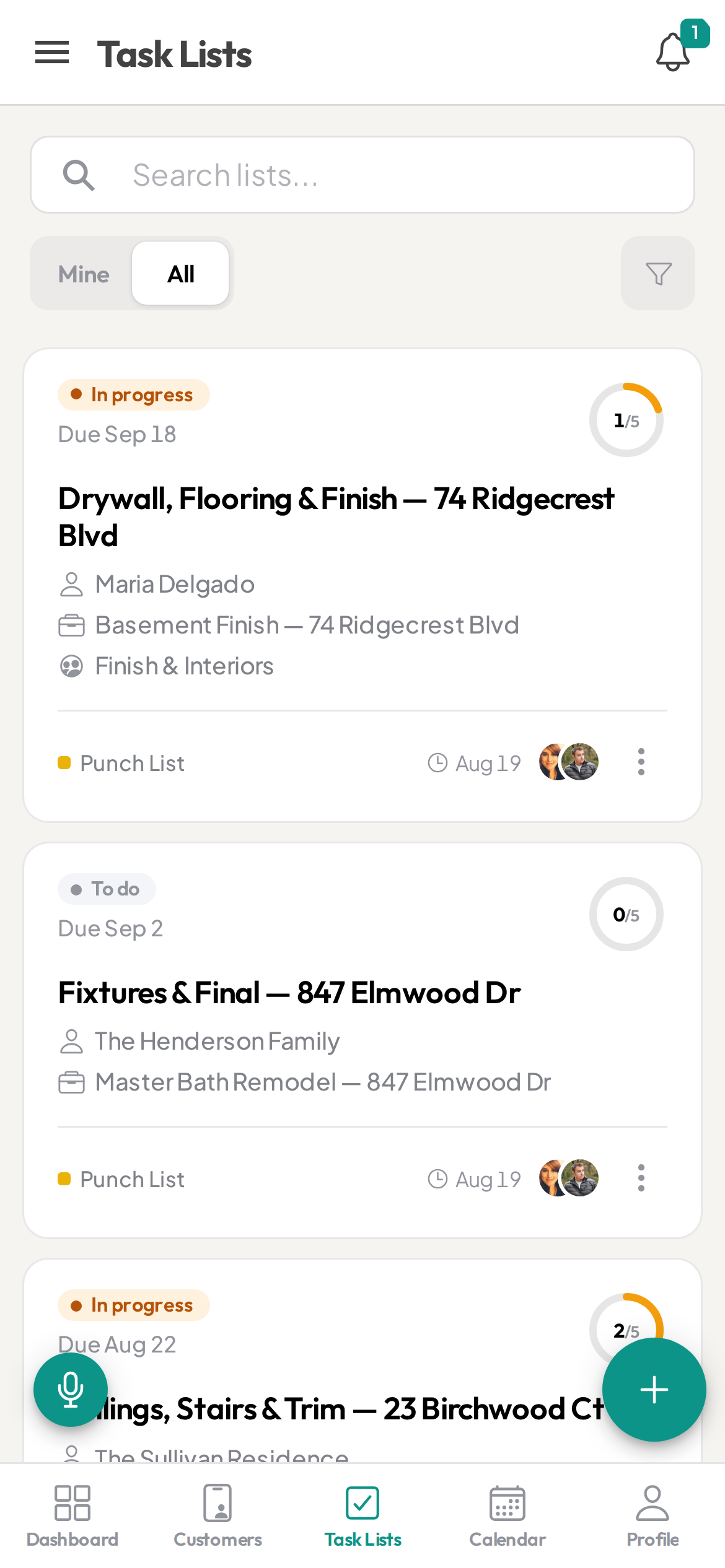
The job’s done. Can you show it — and recall the last one?
- Job details and customer history scattered across texts and memory
- No photo proof of finished work when a customer questions the bill
- A repeat customer calls — and you can’t recall what you did last time
- A helper on a job across town you can’t check on until they’re back
- Every helper works a job a little differently
Everything a handyman business needs
Start free, then unlock more as you scale. see pricing.
Photo proof of finished work
StarterRequire a photo before an item is done — the mounted TV, the fixed faucet, the patched drywall — so every job ends with proof of finished work for the customer and your records.
Checklists for your common jobs
StarterSave your go-to jobs — TV mount, faucet swap, drywall patch, deck repair — as templates so a helper can run a job to your standard without you on site for every step.
Sign off before you invoice
StarterRequire a sign-off before a job is marked done — review the finished-work photos and catch the loose end before the customer does, so you invoice on verified work.
Every job on the calendar
StarterGive each job a due date and see your week on the calendar. Set recurring lists for standing maintenance clients so their regular work never falls off.
Every job tied to the customer
Attach the customer to a job and you tap to call, tap the address for turn-by-turn directions, or tap to email — with access and gate notes saved on the customer’s record. No second app.
Assign jobs to the right person
Assign each job and watch it move to done in real time from your phone — no calling your helper to ask if the work is finished.
Helpers & crews
ProScope work by crew as you grow. Helpers see only their jobs; you see the whole board.
Keep your best help
ProPoints and a weekly leaderboard recognize the helpers who finish jobs clean and complete — a low-cost edge in a tight labor market.
Every customer’s whole history
BusinessEach customer’s jobs collect on their page with the finished-work photos attached, plus a timestamped activity log you can export to CSV. When a repeat customer calls, you can see exactly what you did last time — the goldmine of a home-services business.
Keeps working when the signal drops
Basements, crawlspaces, rural properties, dead-zone job sites — pull up the job checklist you’ve opened and keep checking off items with no connection; changes sync the moment you’re back in range. (Capturing photos needs a signal.)
Run every job the same way
Set up the job
Build the job from a template, tie it to the customer, set the due date, and — if you’ve got help — assign it with the address and access notes.
Do the work
Work the checklist, snap a photo of each finished item, and submit from the job. Progress shows live so you (or the office) know where every job stands.
Sign off — then invoice
Review the finished-work photos and sign off. You invoice on verified work, and it all lands on the customer’s history for next time they call.
Handyman FAQ
Can I prove a job was finished and answer callbacks?
Yes. Require a photo before an item can be submitted, with a sign-off before the job is marked done — so when a customer questions the work or the bill, the finished-work photos and timestamp answer it.
Can I see everything I’ve done for a repeat customer?
Yes — that’s the payoff. Attach the customer to each job, and their whole history collects on one page, with the finished-work photos attached. When they call again, you can see exactly what you did last time and what to quote.
Can a helper run a job to my standard without me there?
Yes. Save your common jobs as templates, so a helper opens the checklist and works it the same proven way every time. Require a sign-off and you review before it counts as done.
Can I get directions and call the customer from the app?
Yes. Attach the customer to a job and tap the address for turn-by-turn directions, tap to call, or tap to email — with access and gate notes saved on the customer’s record, right from the checklist.
Does it handle scheduling and standing maintenance clients?
Yes. Give each job a due date and see your week on the calendar; set recurring lists for standing maintenance clients so their regular work regenerates on the schedule you set.
Does it work at a job with no signal?
Yes — native iOS and Android apps plus a web app, with real-time sync. You can dictate a list by voice, and a job you’ve opened keeps working offline: check-offs queue and sync when you’re back in range, while photos upload once there’s a signal.
What is the best app for a handyman or home-services business?
Look for reusable job checklists, photo proof of finished work, a sign-off before you invoice, each job tied to the customer with their full history for one-tap call and directions. Ziptask covers all of these on iOS, Android, and web, and is free to start.
How much does it cost?
Ziptask is free to start. Paid plans (Starter, Pro, Business) add photo proof, approvals, helper assignment, rewards, and a full per-customer job history as you grow.